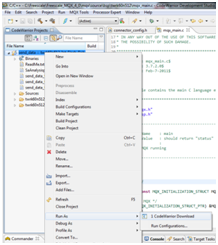
Right-click your project in the project list and select Run As > CodeWarrior Download:
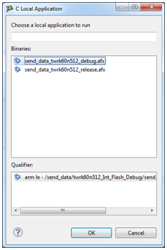
If you have built more than one configuration, you might see more than one binary. Double-click the binary that corresponds to your desired build configuration:
Wait until the download is complete and then check the console output to verify that the download was successful.
Once finished, you might need to manually reset the target to get the application running.